

 Image 1 of 2
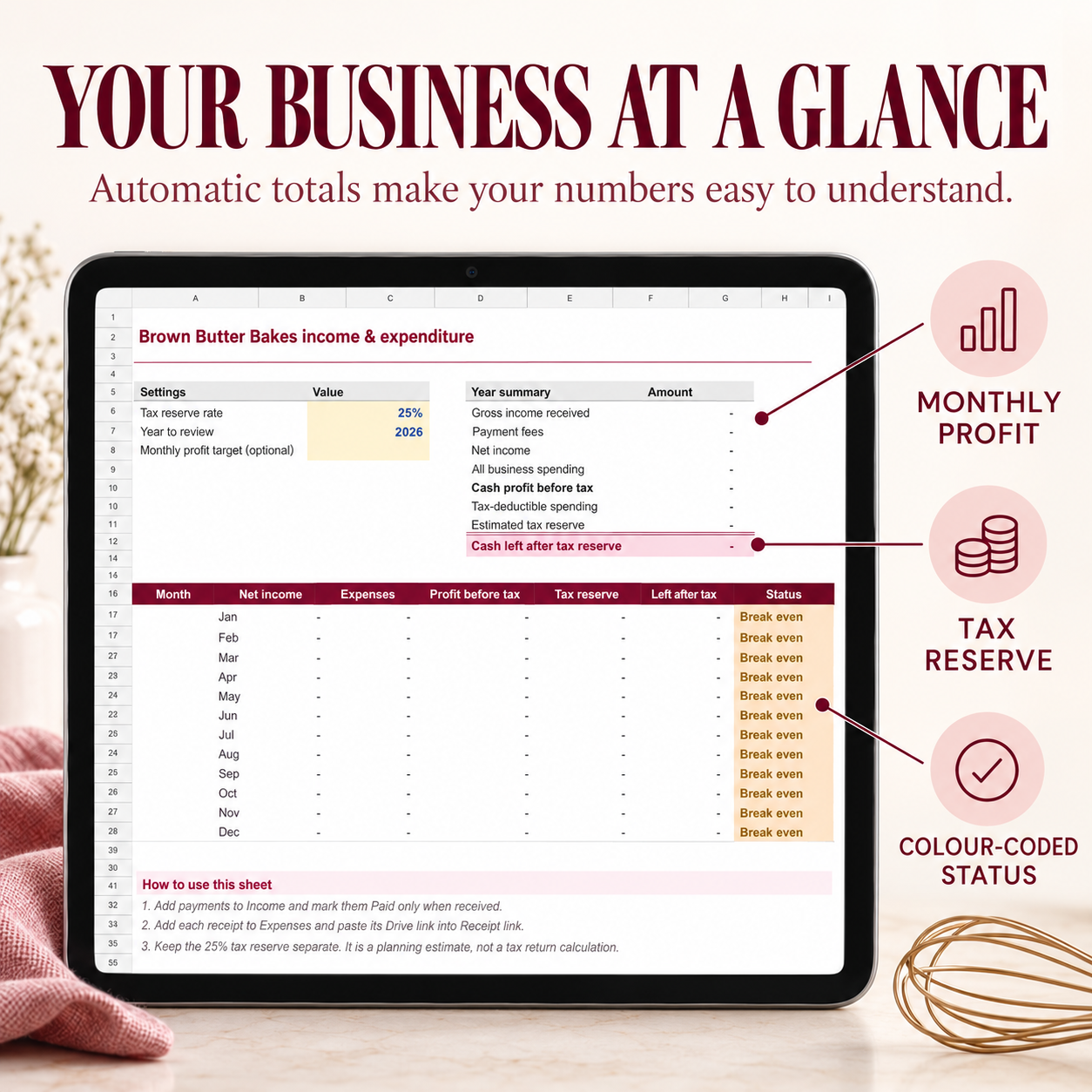 Image 2 of 2
Income & Expenditure Google Sheets Workbook for Home Bakers
Take the stress out of tracking your baking business finances with this simple, beginner-friendly Income & Expenditure tracker :)
Designed especially for home bakers and small baking businesses like mine, this Google Sheets template helps you record your income, organise expenses and receipts, monitor profit and estimate how much money to put aside for tax, all in one clear place.
No complicated bookkeeping software or confusing accounting language. Simply enter your payments and purchases, and the sheet does the calculations for you.
WHAT’S INCLUDED
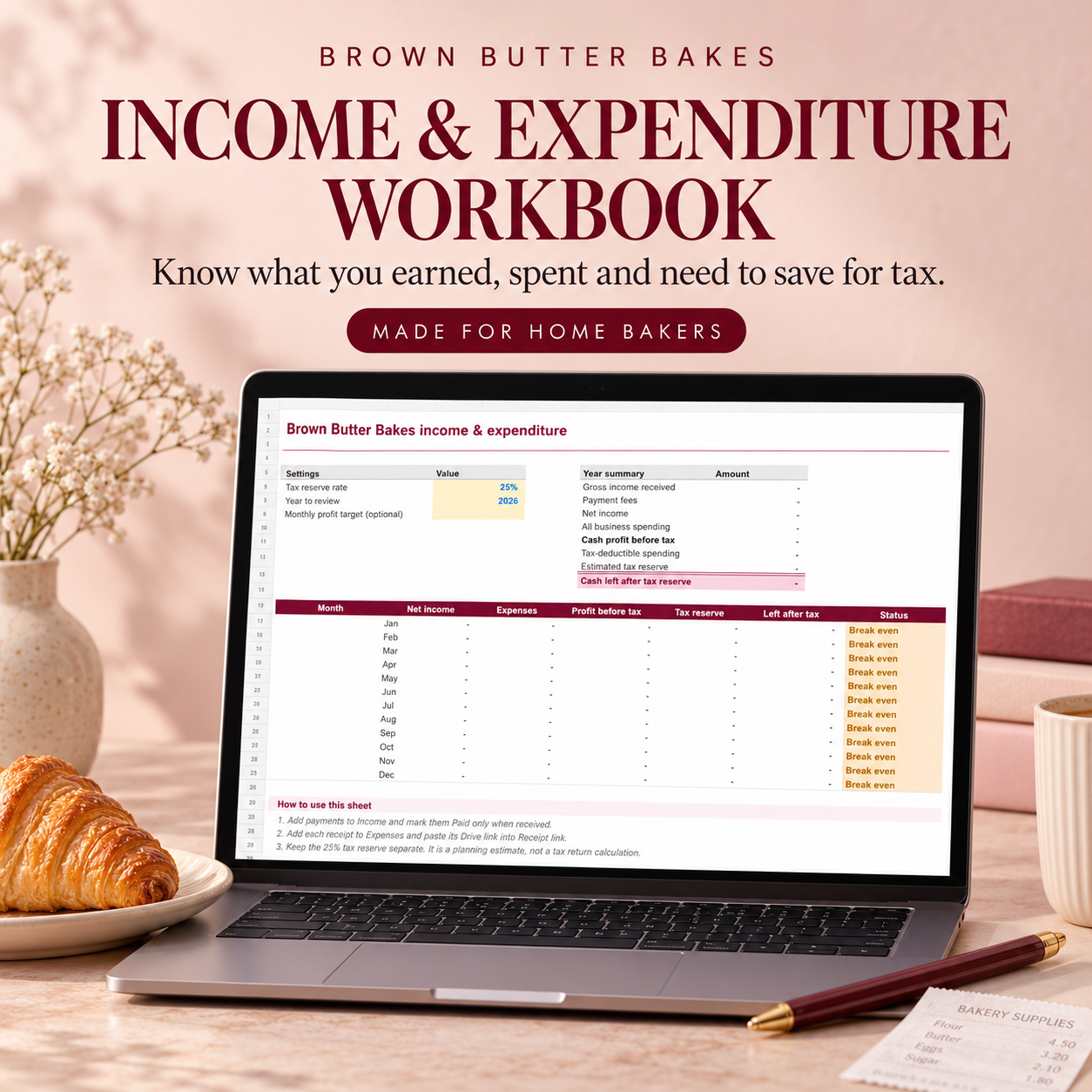
Automatic Dashboard
See your business finances at a glance, including:
Gross income received
Payment-processing fees
Net income
Business expenses
Profit before tax
Estimated tax reserve
Cash remaining after your tax reserve
Monthly profit results
Colour-coded profit status
You can also set an optional monthly profit target to quickly see whether you are above target, below target or breaking even.
Income Tracker
Record income received through:
Squarespace
PayPal
Brand invoices
Bank transfers
Other payment sources
Enter the gross payment and any processing fee, and your net income is calculated automatically.
You can also record the customer or brand, invoice reference, payment status and a link to supporting evidence. Other payment types can easily be added.
Expenses & Receipt Tracker
Keep your business spending organised by recording:
Purchase date
Supplier
Expense category
Description
Payment method
Receipt or invoice number
Amount paid
Tax-deductible status
A link to your digital receipt
Additional notes
Dropdown menus make regular entries quick and consistent, and you can add your own options whenever needed.
Step-by-Step Instructions
A detailed Start Here tab explains:
How to use each section
Which cells you should edit
Which cells calculate automatically
How to add new dropdown options
How to enter additional transactions safely
How the Dashboard updates
PERFECT FOR
Home bakers
Cake makers
Cookie businesses
Dessert businesses
Small food businesses
Baking content creators
Bakers receiving brand or collaboration income
Anyone who wants a straightforward way to organise their business finances
HOW IT WORKS
You will be prompted to make a copy - please do so.
Open your workbook in Google Sheets.
Set your preferred tax-reserve percentage, reporting year and optional monthly profit target.
Add payments to the Income tab.
Add purchases and receipt links to the Expenses tab.
Return to the Dashboard to see your updated totals and profit position.
KEY FEATURES
✓ Simple and beginner-friendly
✓ Automatic calculations
✓ Adjustable tax-reserve percentage
✓ Optional monthly profit target
✓ Colour-coded monthly status
✓ Income and payment-fee tracking
✓ Expense and receipt organisation
✓ Customisable dropdown menus
✓ Space for up to 500 income and expense entries
✓ Full instructions included
✓ Accessible through Google Sheets
PLEASE NOTE
This is a digital Google Sheets template. No physical product will be posted.
You will need a Google account and access to Google Sheets to use the workbook.
The tax-reserve figure is provided for planning and organisational purposes only. It is not a tax calculation and does not replace advice from a qualified accountant, bookkeeper or tax professional.
Due to the digital nature of this product no refunds are available.
Income & Expenditure Google Sheets Workbook for Home Bakers
Take the stress out of tracking your baking business finances with this simple, beginner-friendly Income & Expenditure tracker :)
Designed especially for home bakers and small baking businesses like mine, this Google Sheets template helps you record your income, organise expenses and receipts, monitor profit and estimate how much money to put aside for tax, all in one clear place.
No complicated bookkeeping software or confusing accounting language. Simply enter your payments and purchases, and the sheet does the calculations for you.
WHAT’S INCLUDED
Automatic Dashboard
See your business finances at a glance, including:
Gross income received
Payment-processing fees
Net income
Business expenses
Profit before tax
Estimated tax reserve
Cash remaining after your tax reserve
Monthly profit results
Colour-coded profit status
You can also set an optional monthly profit target to quickly see whether you are above target, below target or breaking even.
Income Tracker
Record income received through:
Squarespace
PayPal
Brand invoices
Bank transfers
Other payment sources
Enter the gross payment and any processing fee, and your net income is calculated automatically.
You can also record the customer or brand, invoice reference, payment status and a link to supporting evidence. Other payment types can easily be added.
Expenses & Receipt Tracker
Keep your business spending organised by recording:
Purchase date
Supplier
Expense category
Description
Payment method
Receipt or invoice number
Amount paid
Tax-deductible status
A link to your digital receipt
Additional notes
Dropdown menus make regular entries quick and consistent, and you can add your own options whenever needed.
Step-by-Step Instructions
A detailed Start Here tab explains:
How to use each section
Which cells you should edit
Which cells calculate automatically
How to add new dropdown options
How to enter additional transactions safely
How the Dashboard updates
PERFECT FOR
Home bakers
Cake makers
Cookie businesses
Dessert businesses
Small food businesses
Baking content creators
Bakers receiving brand or collaboration income
Anyone who wants a straightforward way to organise their business finances
HOW IT WORKS
You will be prompted to make a copy - please do so.
Open your workbook in Google Sheets.
Set your preferred tax-reserve percentage, reporting year and optional monthly profit target.
Add payments to the Income tab.
Add purchases and receipt links to the Expenses tab.
Return to the Dashboard to see your updated totals and profit position.
KEY FEATURES
✓ Simple and beginner-friendly
✓ Automatic calculations
✓ Adjustable tax-reserve percentage
✓ Optional monthly profit target
✓ Colour-coded monthly status
✓ Income and payment-fee tracking
✓ Expense and receipt organisation
✓ Customisable dropdown menus
✓ Space for up to 500 income and expense entries
✓ Full instructions included
✓ Accessible through Google Sheets
PLEASE NOTE
This is a digital Google Sheets template. No physical product will be posted.
You will need a Google account and access to Google Sheets to use the workbook.
The tax-reserve figure is provided for planning and organisational purposes only. It is not a tax calculation and does not replace advice from a qualified accountant, bookkeeper or tax professional.
Due to the digital nature of this product no refunds are available.